
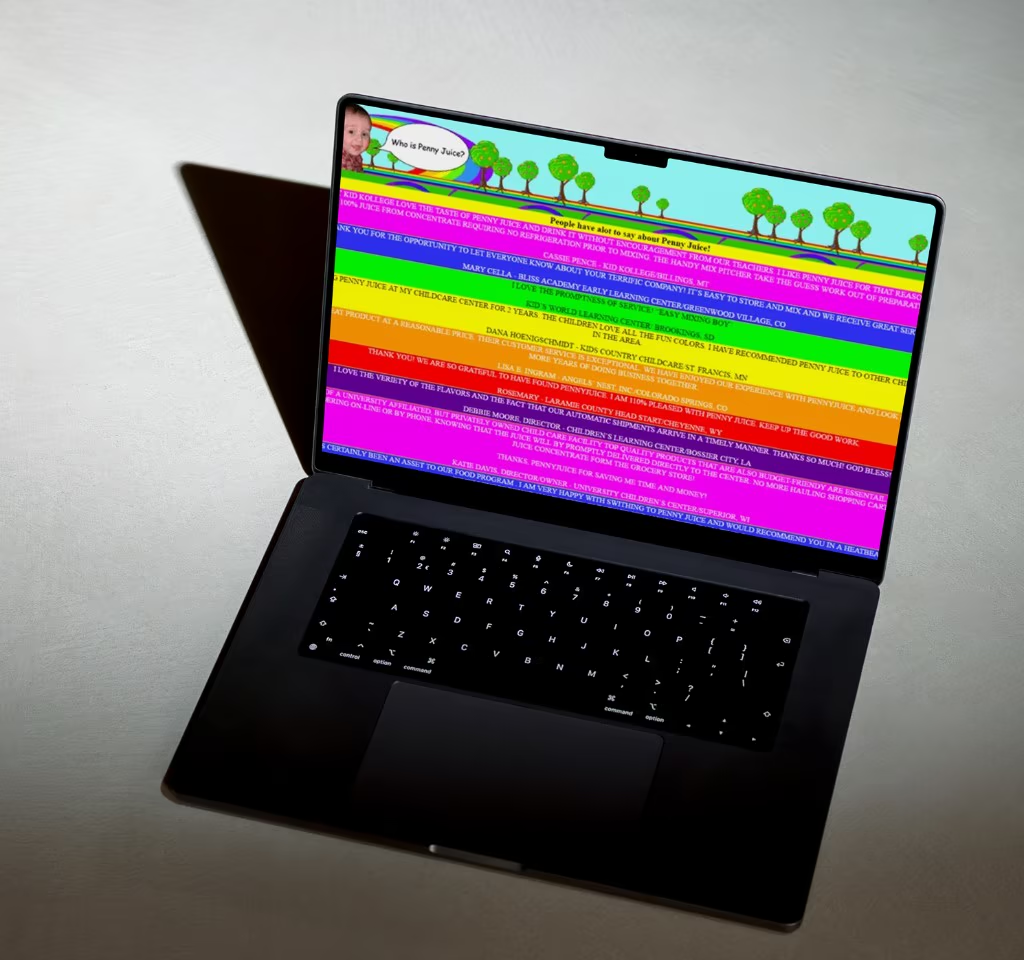
I am a color-blind designer. Not fully, but enough that overlapping greens and reds are a problem. Especially green on red. Who does that anyway?
Where a lot of designers lean on aesthetics first, I lean on functionality and accessibility. That has made me picky about contrast, type size, and whether a link is actually visible.
Readability is a conversion metric
Up to 13% of web conversion can depend on readability. Especially on e-commerce and lead-gen pages where people are scanning under stress.
About 10% of people online have significant visual challenges, like color blindness or low vision. That is billions of people. Hard-to-read text pushes visitors away, including people with perfect vision who are just tired and impatient.
What bad contrast costs
Harder navigation, missed CTAs, skipped fine print, and a vague feeling that the brand is sloppy. None of that shows up as a single analytics event. It shows up as fewer people finishing what they started.
The easy win
Underline inline links. Color alone is not enough for many users. It takes five minutes in Webflow and saves real confusion.
Light backgrounds, dark backgrounds
On light backgrounds, use dark text with enough contrast. On dark backgrounds, use white or near-white as your primary text color. Sounds obvious until you open a trendy site with grey-on-grey "minimalism."
Check contrast properly
Follow WCAG contrast guidelines, or use tools like Coolors or Stark while you design. Do not eyeball it on a retina screen in a bright office. That is how teams ship beautiful pages that fail in the real world.
Size, space, and the 60-30-10 rule
Size contrast creates hierarchy. Space contrast draws attention without shouting. Together they do more work than another accent color.
The 60-30-10 rule helps keep palettes balanced: about 60% dominant (often background), 30% secondary (sidebars, sections), 10% accent (buttons and CTAs). Solid deep neutrals, clear greys, one dynamic accent. On image-heavy sites, neutral bases let photography breathe and keep the CTA visible.
Centered text and other quiet killers
Centered text disrupts natural reading flow. Your brain likes consistency. Centered blocks make people work harder to find the start of each line. On mobile it gets worse, with awkward breaks that feel messy even when the layout looks "balanced."
Form follows function. I learned that in design school and keep re-learning it on live sites. Use centered text sparingly: short headlines, a three-line call to action, not your whole manifesto.
- Keep body copy left-aligned for scanning
- Cap centered blocks at about three lines
- Do not use color as the only way to convey meaning
- Add white space so sections breathe
Part 2 of the series. Part 1 covered why design is an investment, not a cost center. Part 3 goes into UX laws: scanning patterns, chunking, and CTAs that match how people actually behave.